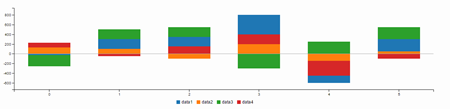
Dashboard Lightning Components
Overview
This is a list of components that lets you create sleek dashboard apps very quickly using the Lightning App Builder for Salesforce1. This product brings together a portfolio of lightning components that are prebuilt to seamlessly interact with each other offering a real-time, integrated experience and enriched insights while business users are on to go. The standard lightning components provided out of the box are quite silo-ed and don't communicate with each other.. These components are meant to be responsive and touch friendly.
Usage
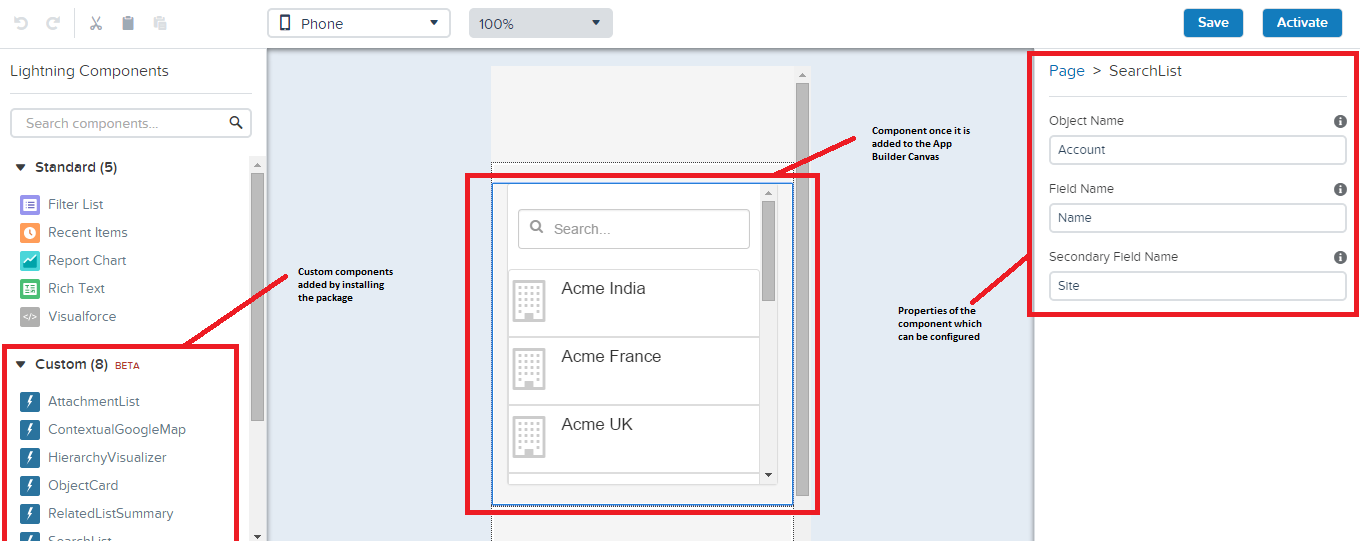
These components are meant to be used with the Lightning App builder and Salesforce1, however you can use them to create any app within or outside of Salesforce1 by including the components in your application or other components. When you have installed the managed package. You can then access these components through lightning app builder or in your own application
Usage
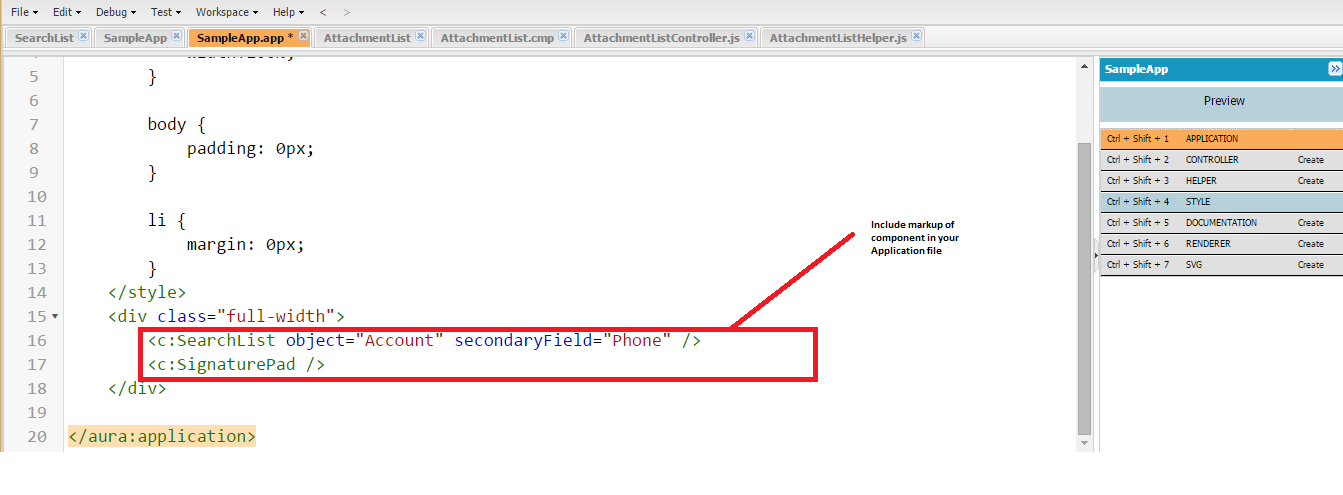
To use in your own application, all you need to do is to include the component mark up in the application
List of Components
1. Search List - Allows you to search on any object. This is a driver component and changes the context of the whole page.
2. Google Maps - This component allows you to show google maps and directions for a particular address.
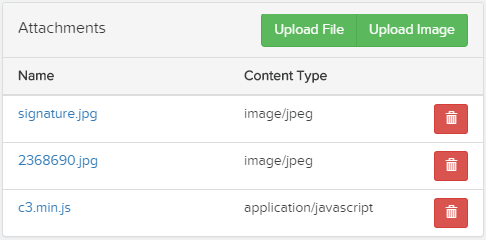
3. Attachment Upload - This component allows you to attach files and images from the camera. This also shows a list of attachments to an object
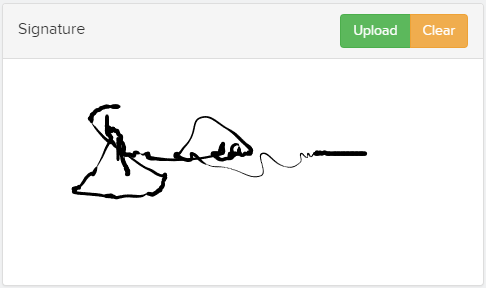
4. Signature Capture - This component allows you to capture signatures and upload them.
5. Simple Charts - Allows you to create simple charts based on a single group by field
6. Hierarchy Visualizer - Allows you to visualize the Account/Contact/Custom Object hierarchy in a visual manner.
7. Related List Summary - Allows you to summarize related lists (by counts)
8. Object Cards - Allows you to show object details on fields on a page
Search List
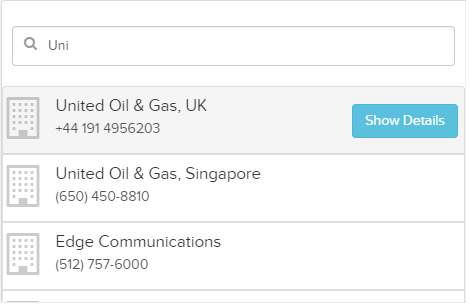
This is a driver component and drives the context of the whole page. This component allows you to search for an object by name. Once an object is find it triggers a signal so that the whole page changes to be focused around the object. Also on clicking the show details button, within Salesforce1, the user is navigated to the object detail page
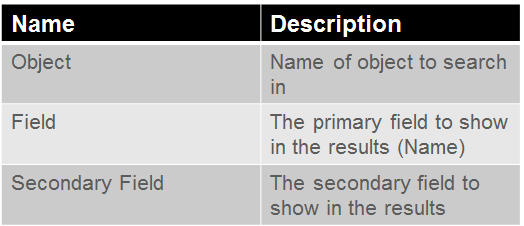
Configurable Attributes
Google Map
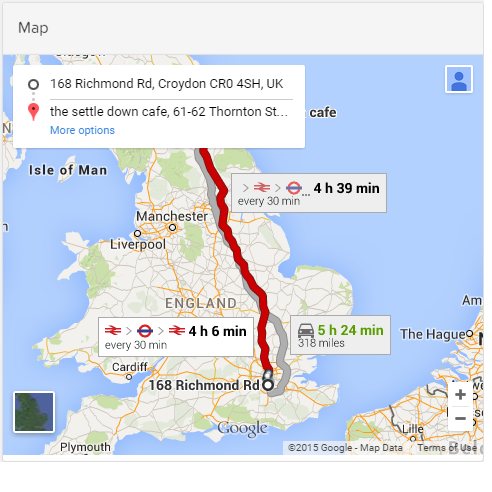
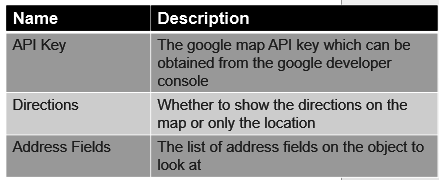
This component allows you to show a map and directions to a particular location. You can configure the fields on the object which will point to the address fields. Clicking on a driver component such as the Search List will automatically change the map.
Configurable Attributes
Object Card
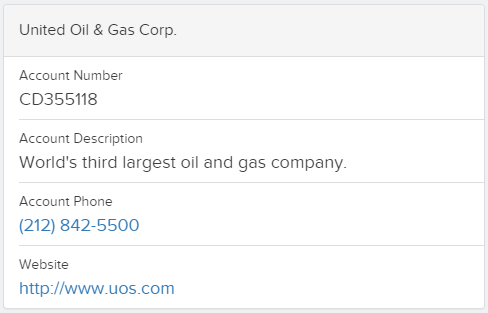
This component allows you to show fields for a specific object. For example you can show the phone or email address for a Contact, or the Order Number for an Order. The card generates the fields in a manner so that URL fields open the browser, phone fields make an outgoing call and email field open the email app.
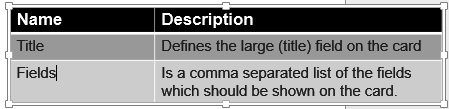
Configurable Attributes
Related List Summary
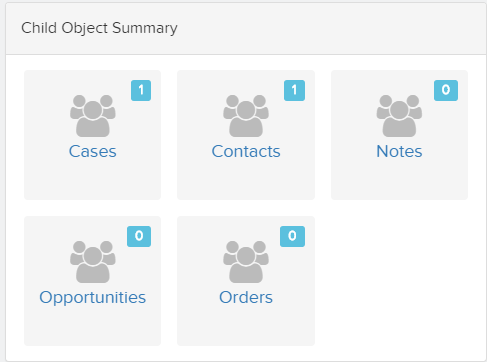
This component allows you to show a count of related records. On clicking on the icon one is navigated to that specific detail screen.
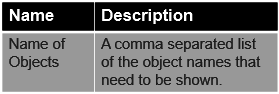
Configurable Attributes
Simple Chart
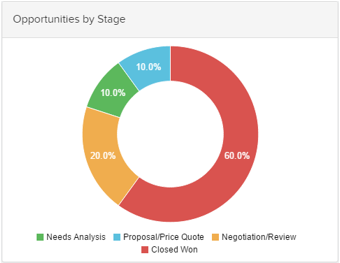
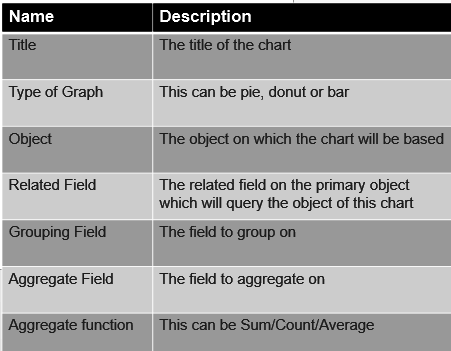
This component allows the user to create a simple chart based on a related object and summarize based on a single field. The chart can be a bar, donut or a pie. Additionally, you can decide to summarize, average or count the related field
Configurable Attributes
Hierarchy Chart
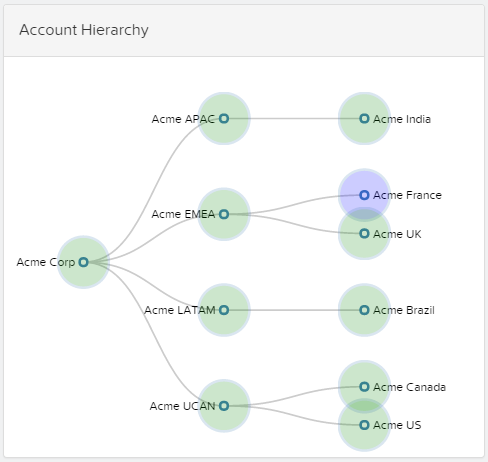
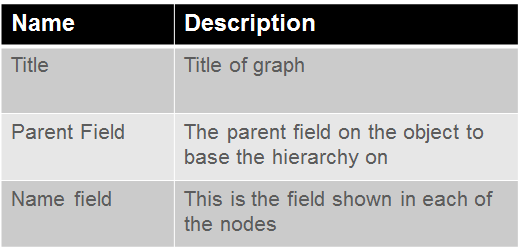
Hierarchy chart allows the user to browse through an object hierarchy. This can be account, contact or any custom object. This chart is built for touch and supports pinch to zoom and click and span. Clicking on a node in the hierarchy centres the node as well as changes the search query to point to the node. The current node is also highlighted so that the user can visualize where in the hierarchy does the object lie
Configurable Attributes
Attachment List
This component shows a list of attachment as well as lets the user upload and delete existing attachment. Additionally, the user can directly upload an image from the gallery or from the camera (depending on the phone support)
Configurable Attributes
Signature Pad
This component allows a user to upload a signature as a attachment
Configurable Attributes
Future Enhancements
These are some of the enhancements that I would like to include on the roadmap
New Components:
1. Advanced Charts – Guages, Bubble charts, Step Charts, Stacked Charts, Line Charts
2. Tweets - A list of twitter tweets by the account or contact
3. Linked In Profile - The linked in profile of the user
4. Nearby - Find a list of contacts and account close to you
5. Increase Attachment file size
6. Animation in Graphs
7. Stop scrolling on clicking on component